Read the summary, not the thread.
AbbryAI summarises Slack conversations on demand. Open a thread, pick Summarize, and read what was decided — without scrolling back through fifteen replies to find it.
14 days free. No credit card to start the trial.
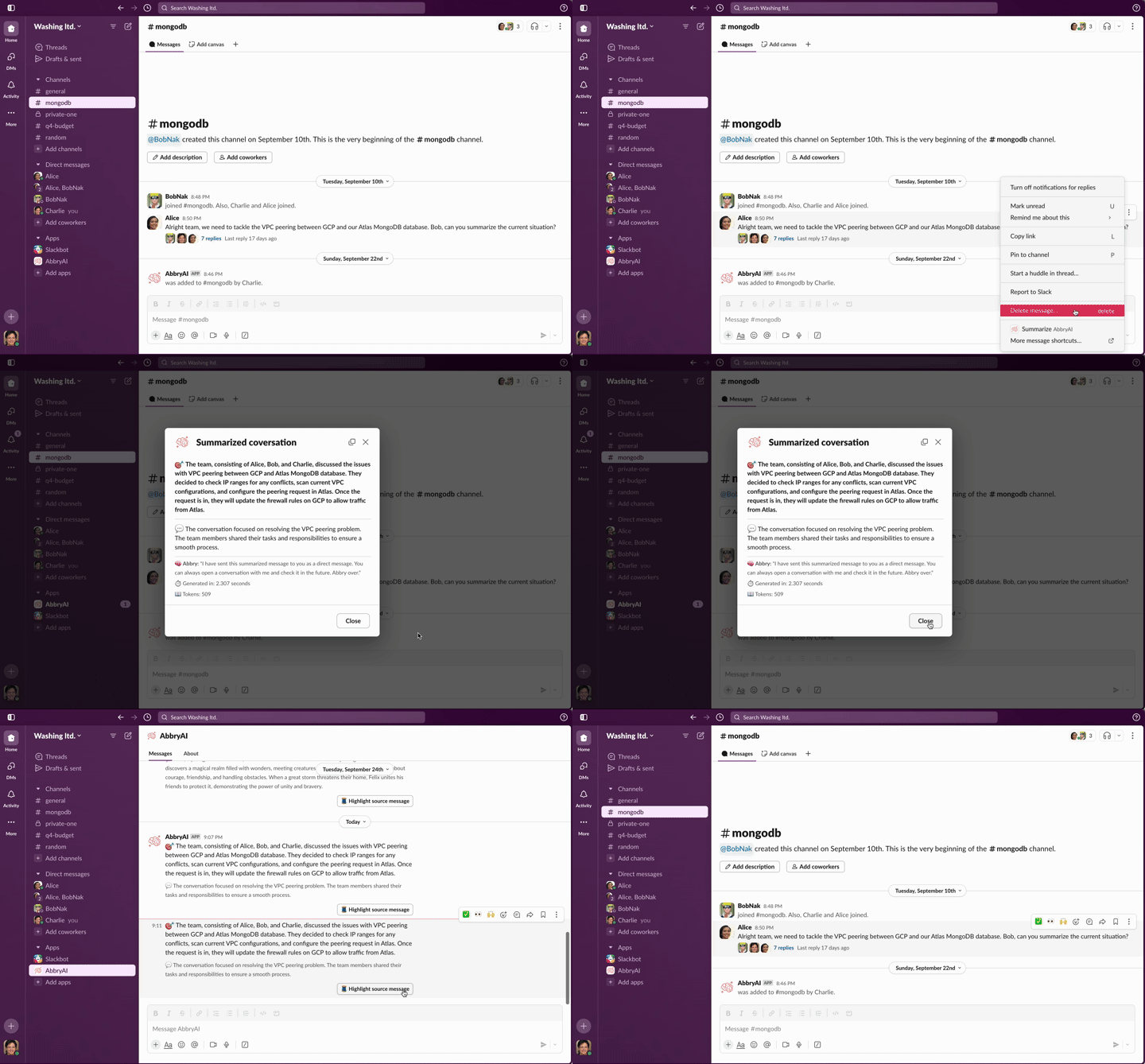
Four steps, all of them inside Slack
There is no AbbryAI window to open and no dashboard to check. The whole product is a shortcut on a message.
- 01
Hover the message
Open More actions on any message or thread. Nothing else in Slack changes.

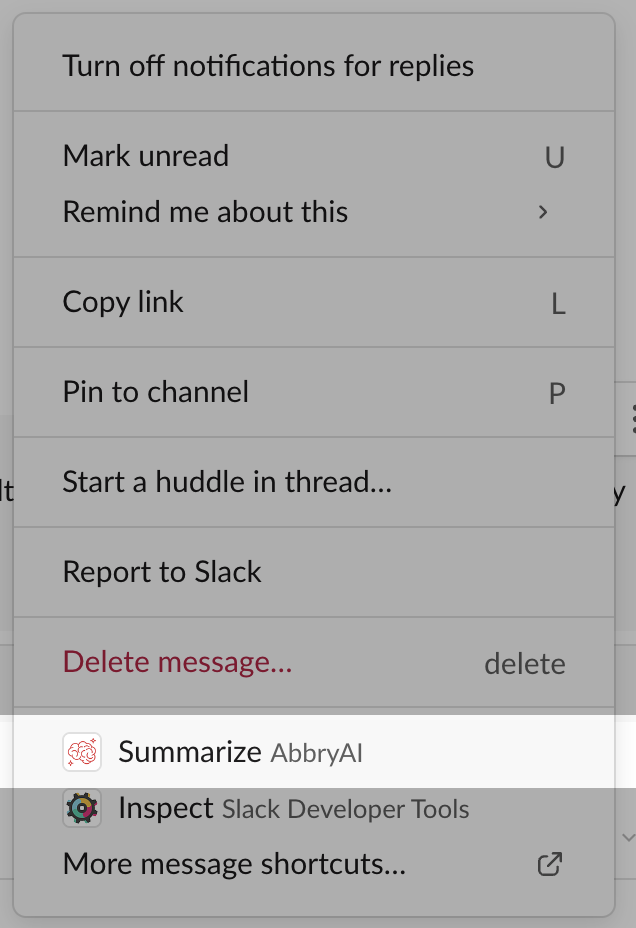
- 02
Pick Summarize
AbbryAI appears in the shortcut menu next to Slack's own actions.
- 03
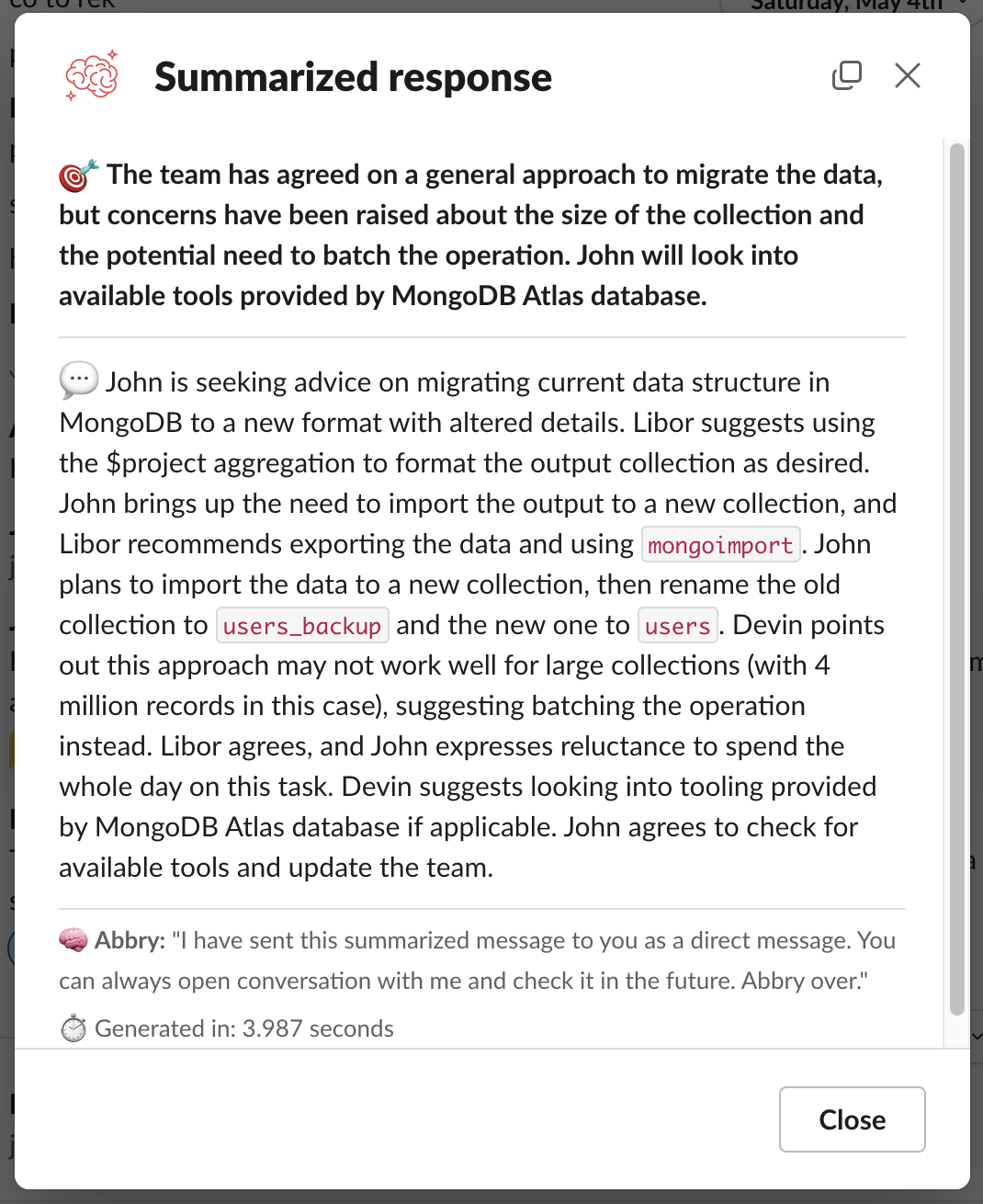
Read the answer first
The outcome comes back in bold at the top; the recap of who said what sits underneath it.
- 04
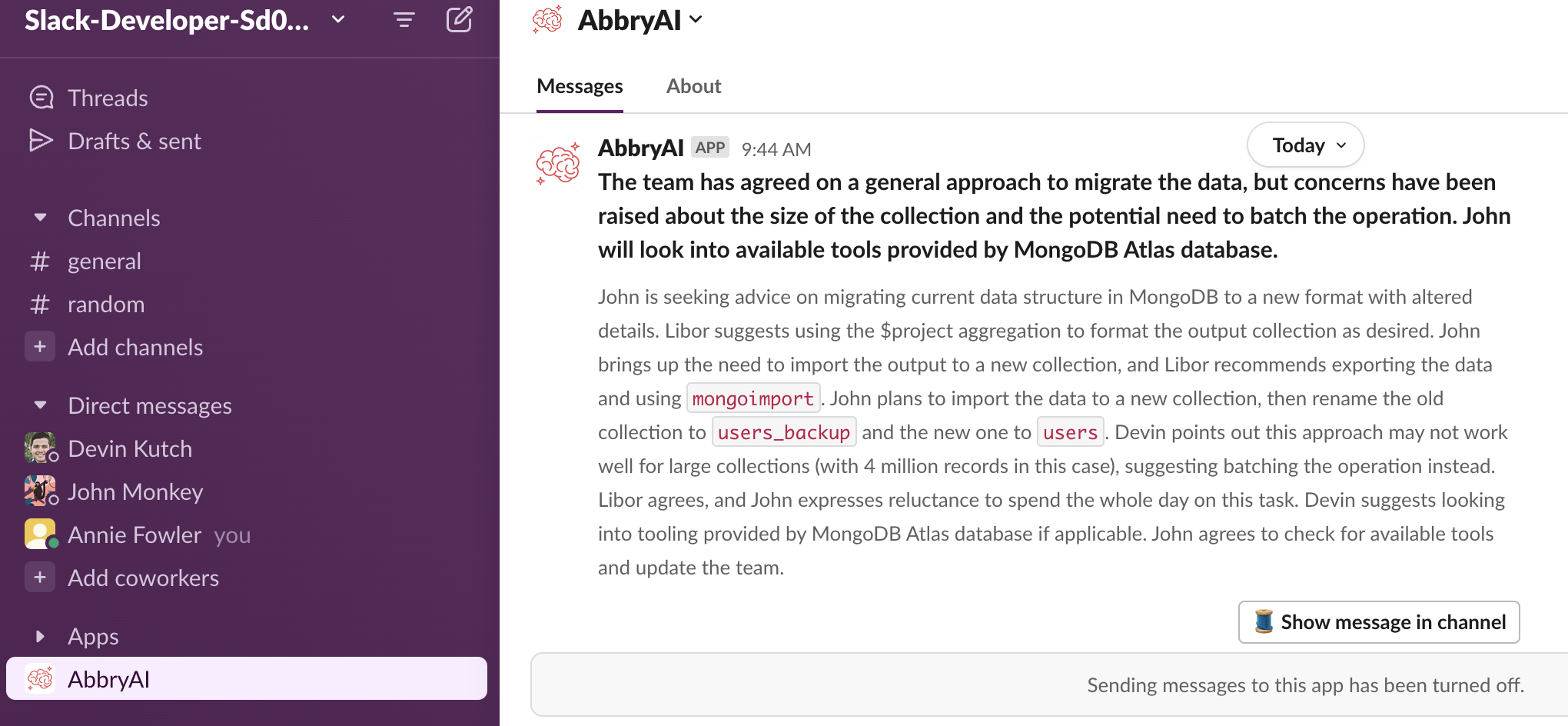
Keep it in Slack
The same summary lands in your AbbryAI DM, with a link back to the thread it came from.
Skip the scrollback
One shortcut turns a long thread into a short brief: what was decided, then who said what. You read the outcome instead of the history.
Two clicks, inside Slack
No second app and no new tab. AbbryAI sits in the message shortcut menu your workspace already uses.
Nothing is kept
Conversations are never stored. Only the summary comes back to you.
It installs into the workspace, not onto every desk.
One admin authorises AbbryAI once. After that every member of the workspace has Summarize in their message shortcut menu — there is nothing for them to install and nothing to learn.
- Works on any thread or message the app can read
- Summaries post in the channel and arrive as a DM
- Uninstall from Slack removes it for everyone
One plan, priced in the open
- Unlimited users in the workspace
- 10,000,000 tokens included each month
- €0.90 per 100,000 tokens after that